
You're editing a frame you don't actually see.
Instagram's own UI sits on top of your Reel after upload — profile name, caption, the action-icon column, the sound bar. Inside Resolve, none of that is visible. FrameBounds makes it visible while you cut.
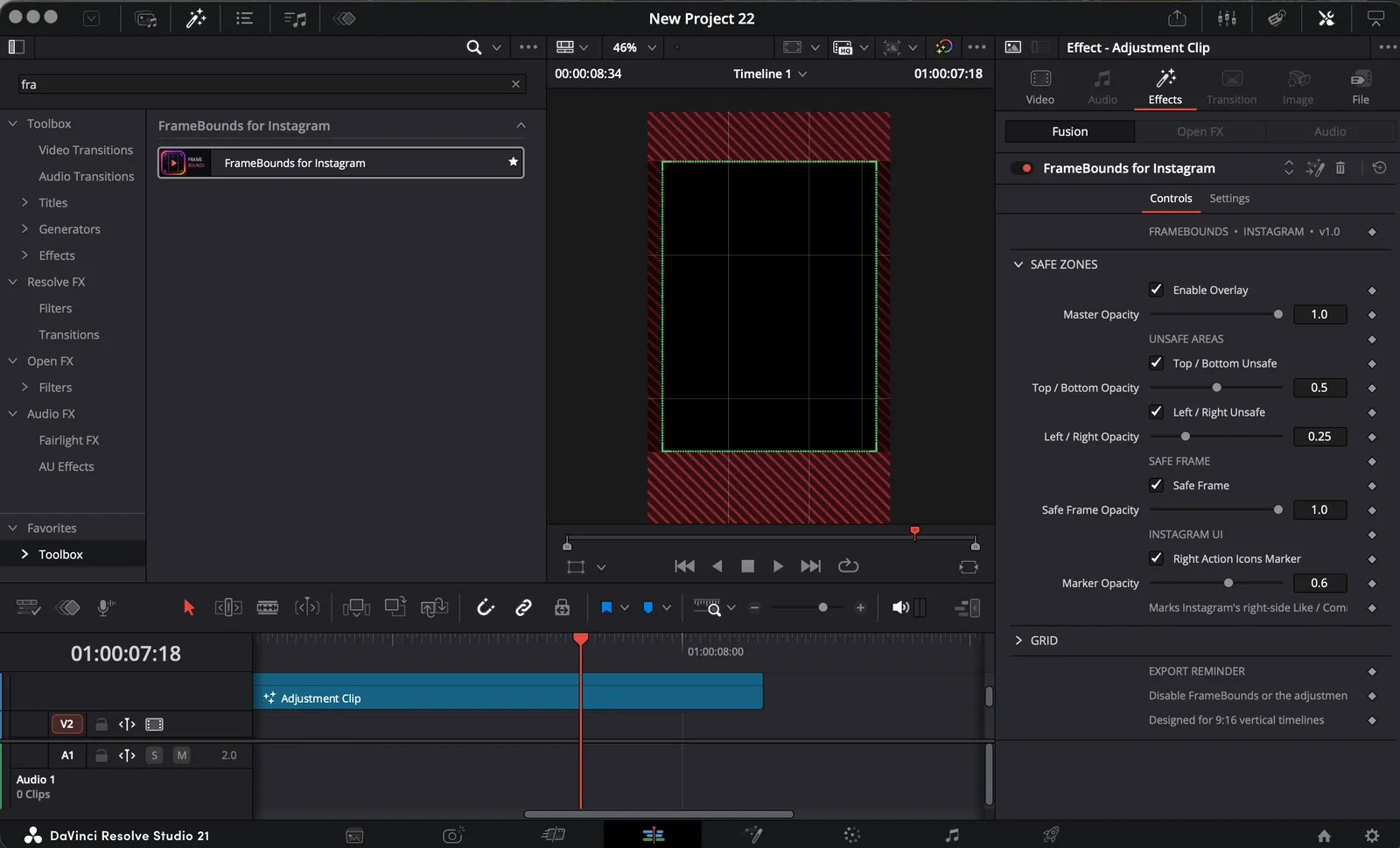
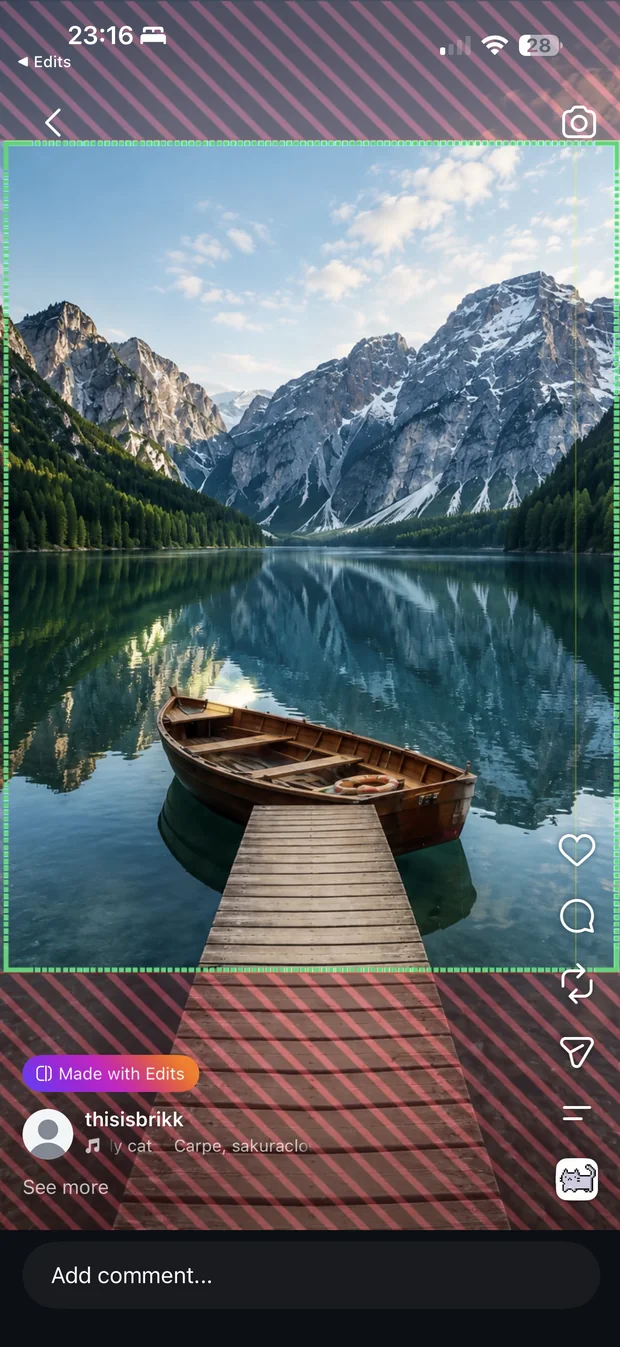
The real overlay, straight out of Resolve.
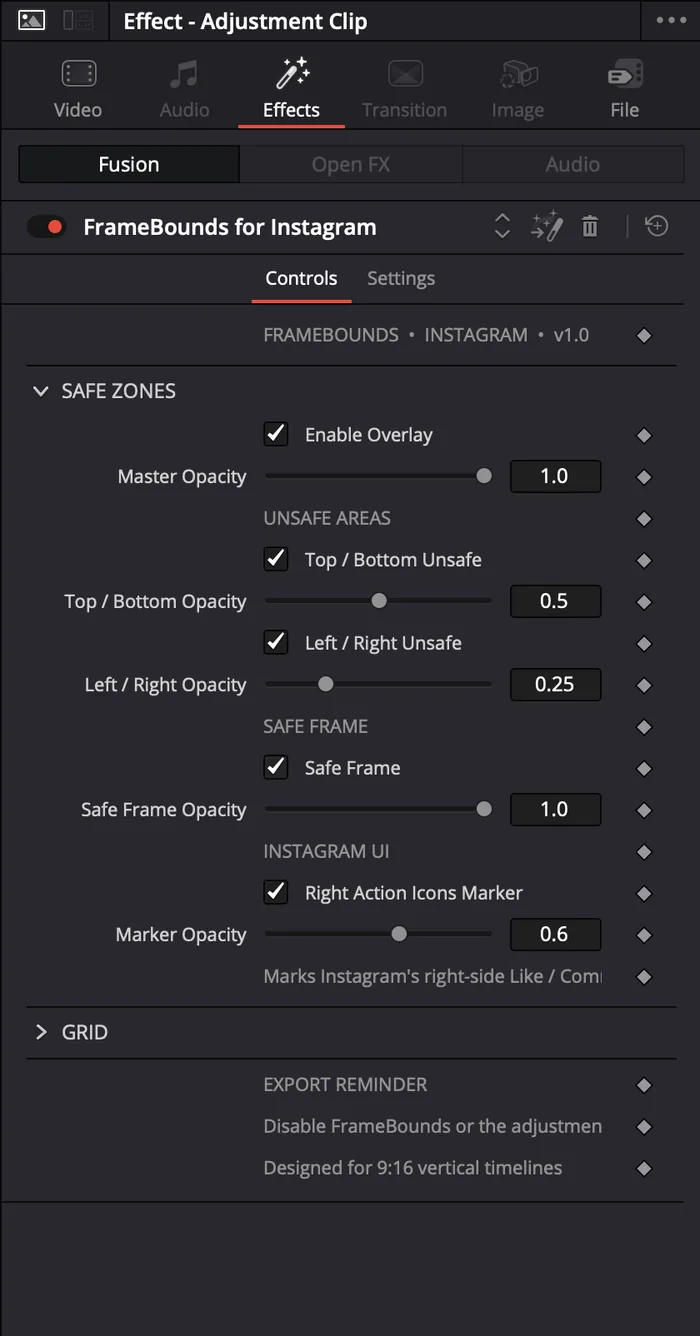
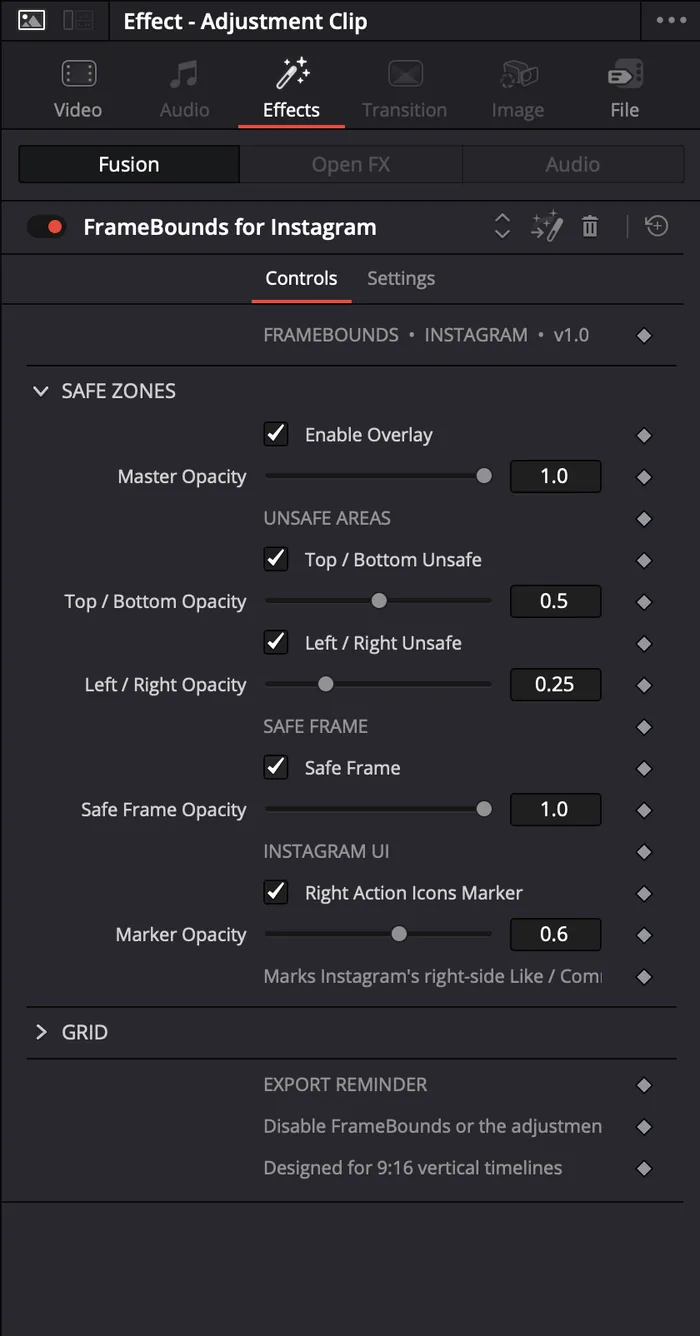
A guaranteed-visible core (green), plus independently-toggled crop-risk margins on every edge (red) — measured against how Instagram actually crops and covers uploaded Reels, not a rough estimate.
CORE 1.0 · TOP/BOTTOM 0.5 · SIDES 0.25Where the like, comment and share column sits.
A dedicated marker on the right edge, so your composition never fights Instagram's own interface for the same space.
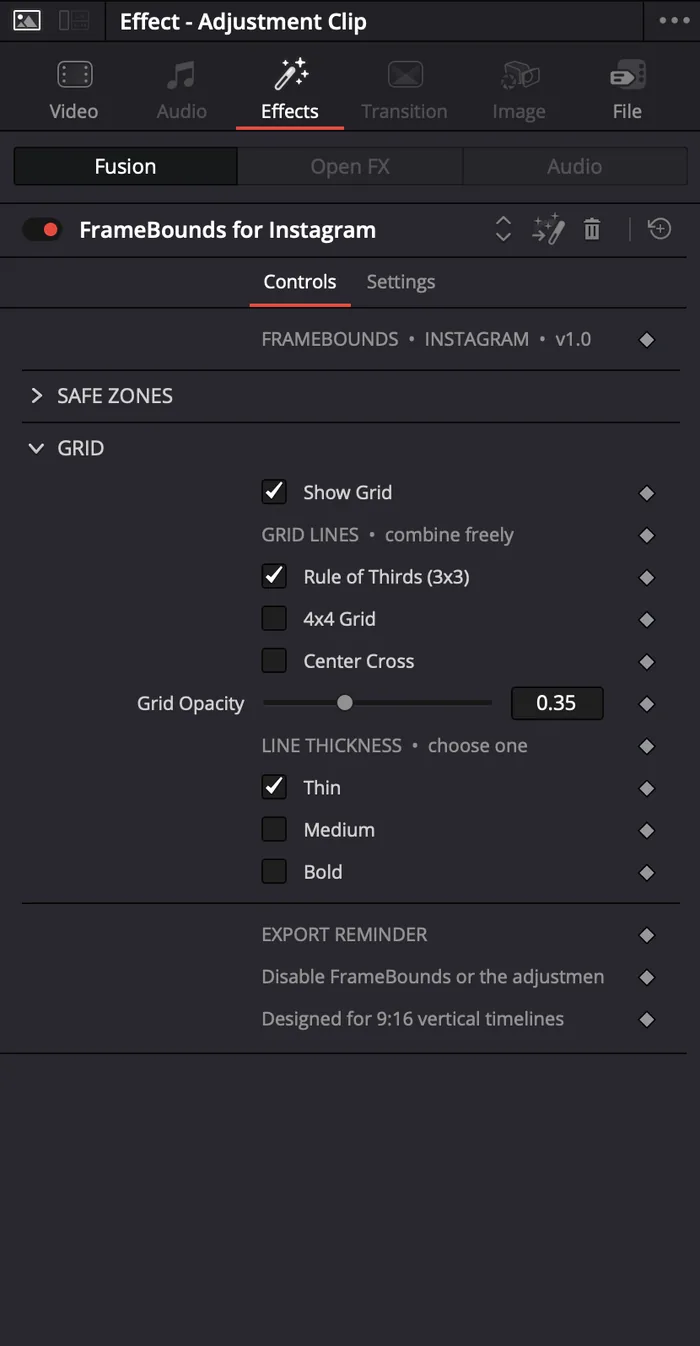
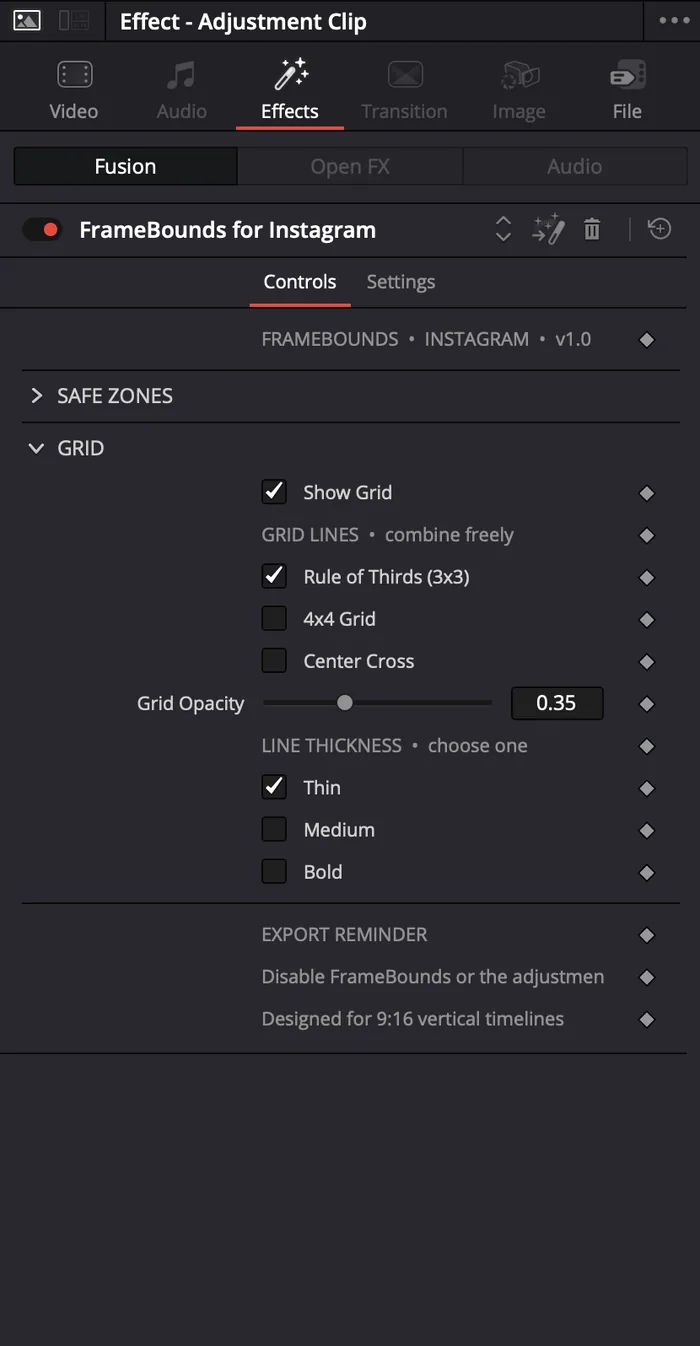
DEFAULT OPACITY 0.6Rule of thirds, 4×4, center cross — combinable.
Turn on any mix, adjust opacity and line weight, leave the rest off. No nodes to build — everything lives in one Inspector.
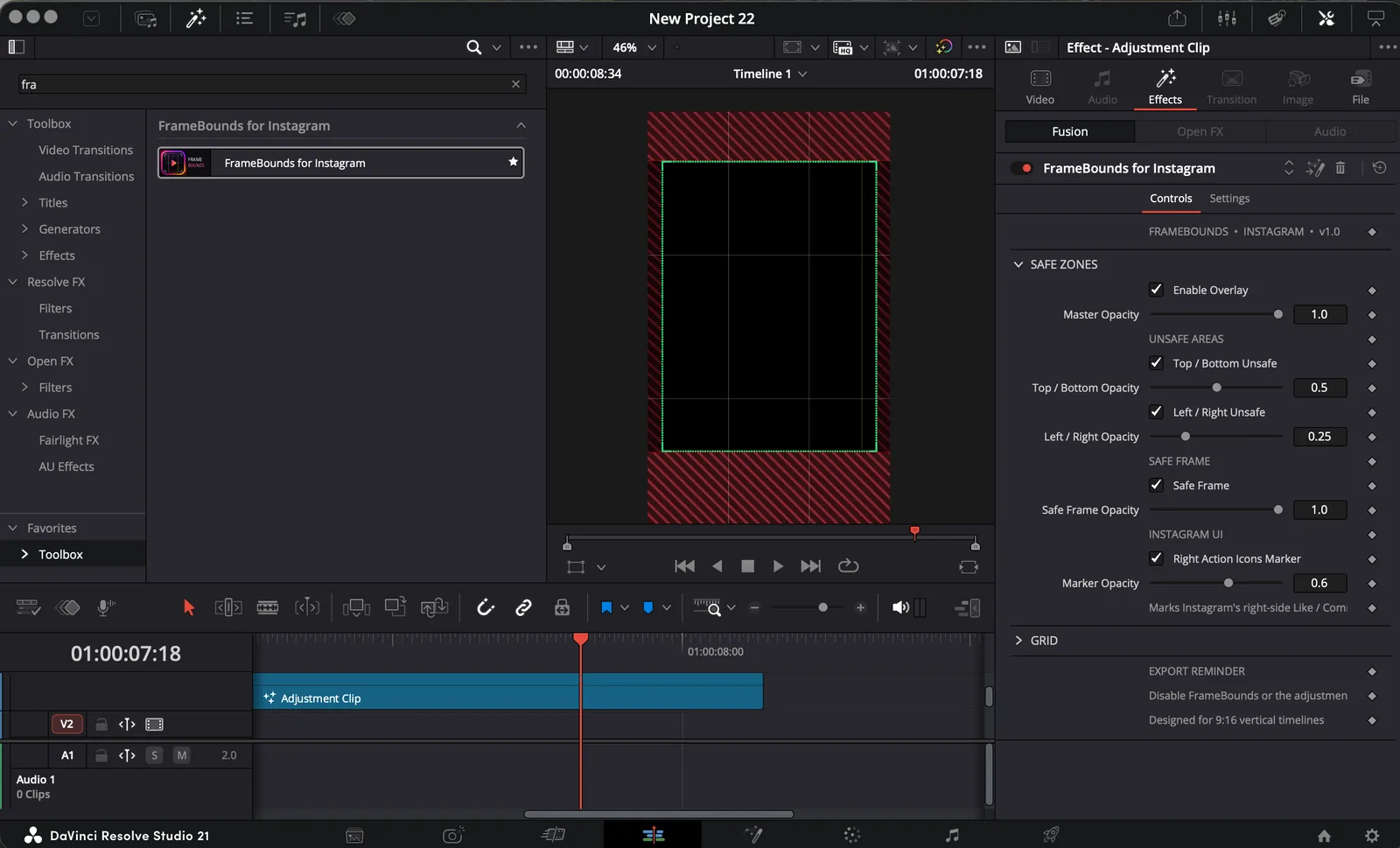
COMBINABLE · 3 LINE WEIGHTSAdd adjustment clip
Above your vertical footage.
Apply FrameBounds
Drag from the Effects Library.
Toggle what you need
Everything starts clean and collapsed.
Disable before export
It's an editing aid, not a render effect.